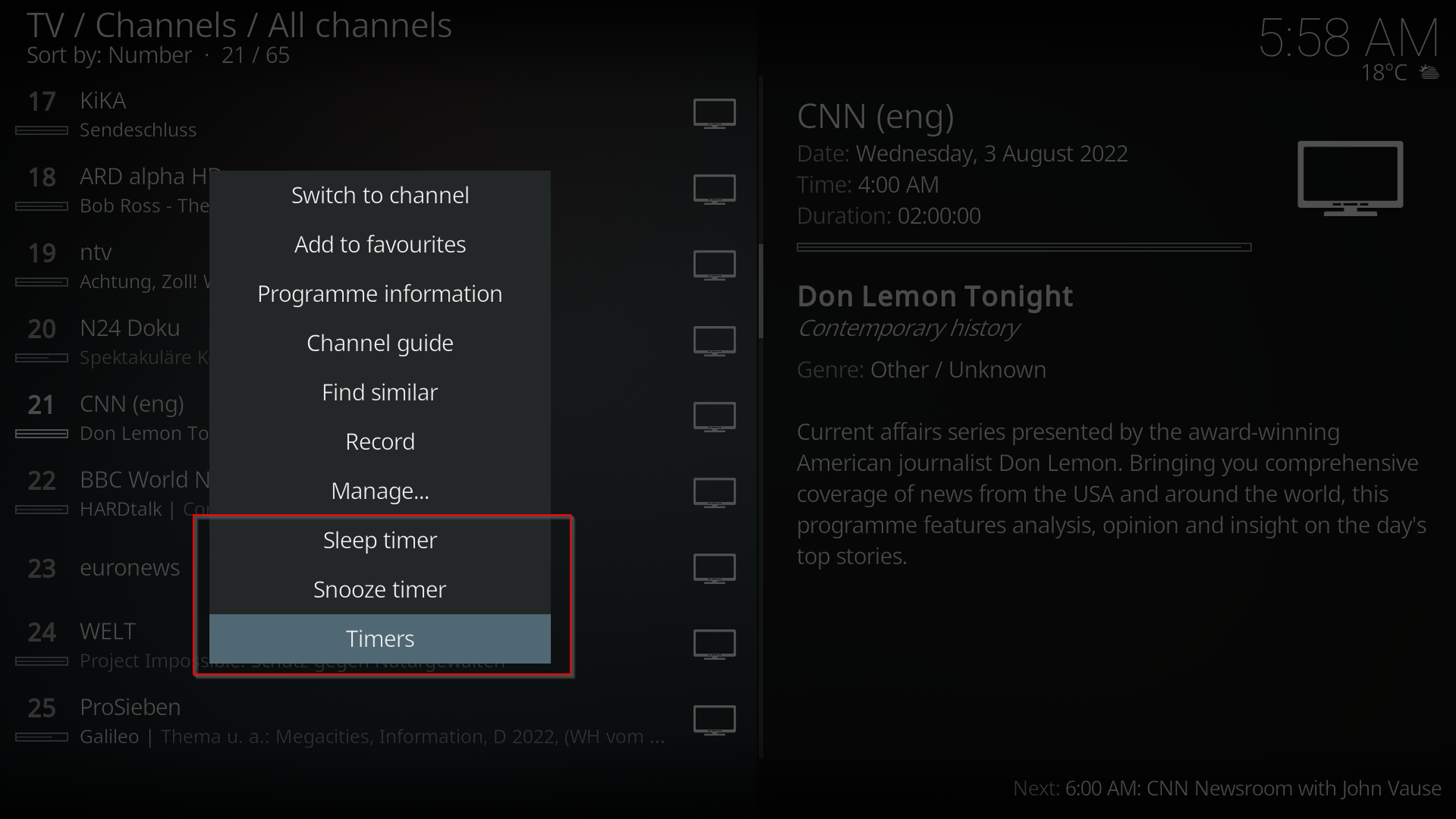
Timers
Description
A powerful timer addon with the following features * Unlimited timer slots. All of them can be quickly set up by using context menu * single-click-setup for sleep and doze timers * Timers can play any resource that it available in KODI, e.g. music folders, video files, TV/radio programs, slideshows, resources from 3rd party plugins, e.g. Zattoo channels. * Timers can be set from TV / Radio EPG, One-click-setup from epg (Quick Timer) * Different schedule modes: once, everyday, Mon-Fri, Fri-Sat, Sat-Sun, Sun-Thu, Mon-Thu, specific weekday and many more * Date change is supported, e.g. from 23:30 (p.m.) until 1:30 (a.m.) * Shuffle, repeat, 2 end modes, i.e. duration or specific time * Smart shuffle mode for slideshows that tries to find folder that fits into timeframe randomly * Actions related to media: start media and stop at end, just start media, start media at end, stop media immediately, stop media at end, power down system * Linear fading in timer period: fade-in, fade-out, no fading. Min and max volume can be set for each timer * Custom label for timer * After KODI startup timers, that are in period, start retroactively although KODI was not running at start time. Fading volume is calculated correctly. * Feature in order to prevent that display is turned off if KODI idles but is not in full screen mode * MS Windows only: Feature in order to prevent that Windows displays lock screen if KODI idles
News
v4.1.2 (2025-04-27) * Fixed issue #50: Predefined time in sleep timer is incorrect (prob. if no PVR client is installed) v4.1.1 (2025-03-24) * Minor fixes for Python compatibility v4.1.0 (2024-12-19) * New feature: support for smart playlists (music and video) v4.0.2 (2024-12-12) * Bugfix: Fix exception when settings timer in EPG with program that runs over midnight v4.0.1 (2024-12-08) - Addded translations for French (provided by Skypichat-kodi and Gemini) - Bugfix: Prevent exception when turning off timers by deselecting all days of week v4.0.0 (2024-08-31) - New feature: programming timers with full date (not only day within upcoming 7 days, feature request #34) - Improved stop behavior of overlapping media timers acc. its priority - Bugfix / workaround: [Kodi v21] Settings dialog is broken, issue #43 - Bugfix: [Kodi v21] Addon can't play PVR items anymore, issue #42 v3.9.3 (2024-08-02) - Bugfix: Fixed that 'running-high-prio-fading-only-timer' prevents starting other media timers within its period v3.9.2 (2024-07-21) - Bugfix: The repeat flag in Timer Addon doesn't work, issue #39 v3.9.1 (2024-06-30) - Bugfix: Prevent exception after changing already running non-fading-timer to fading-timer v3.9.0 (2023-11-11) - Added new system action 'restart Kodi' - Added new extra feature to prevent display off when audio is playing - Bugfix: Prevent exception in fader context Complete changelog see https://github.com/Heckie75/kodi-addon-timers
How To Install
Direct installation
Via Repository
Via Directory
- Download the addon.
- Open up Kodi and navigate into Add-ons.

- Click the open box icon (above the side-menu).

- Select Install from zip file.
- If this is the first addon you install, Kodi will warn you about installing addons from "unknown sources" for security reasons - it's your call.
- In any case, Kodi will warn you, you may not get auto-updates for this addon.
- Navigate into the location where you've downloaded the addon to and select it to Install.
For a full installation guide please click here.
Additional Information
| Updated: | June 08, 2025 |
In Repositories: |
|
| Platform: | all |
Alternative Sources: | Download 1Download 2 |
| License: | MIT |
Depends On: |